Create Your Own Fakemon Game
"Fakemon" -- fan-designed original monsters -- have been a creative outlet for the Pokemon community for decades. DeviantArt, Reddit, and dedicated forums are filled with thousands of brilliantly designed creatures that will never appear in an official game.
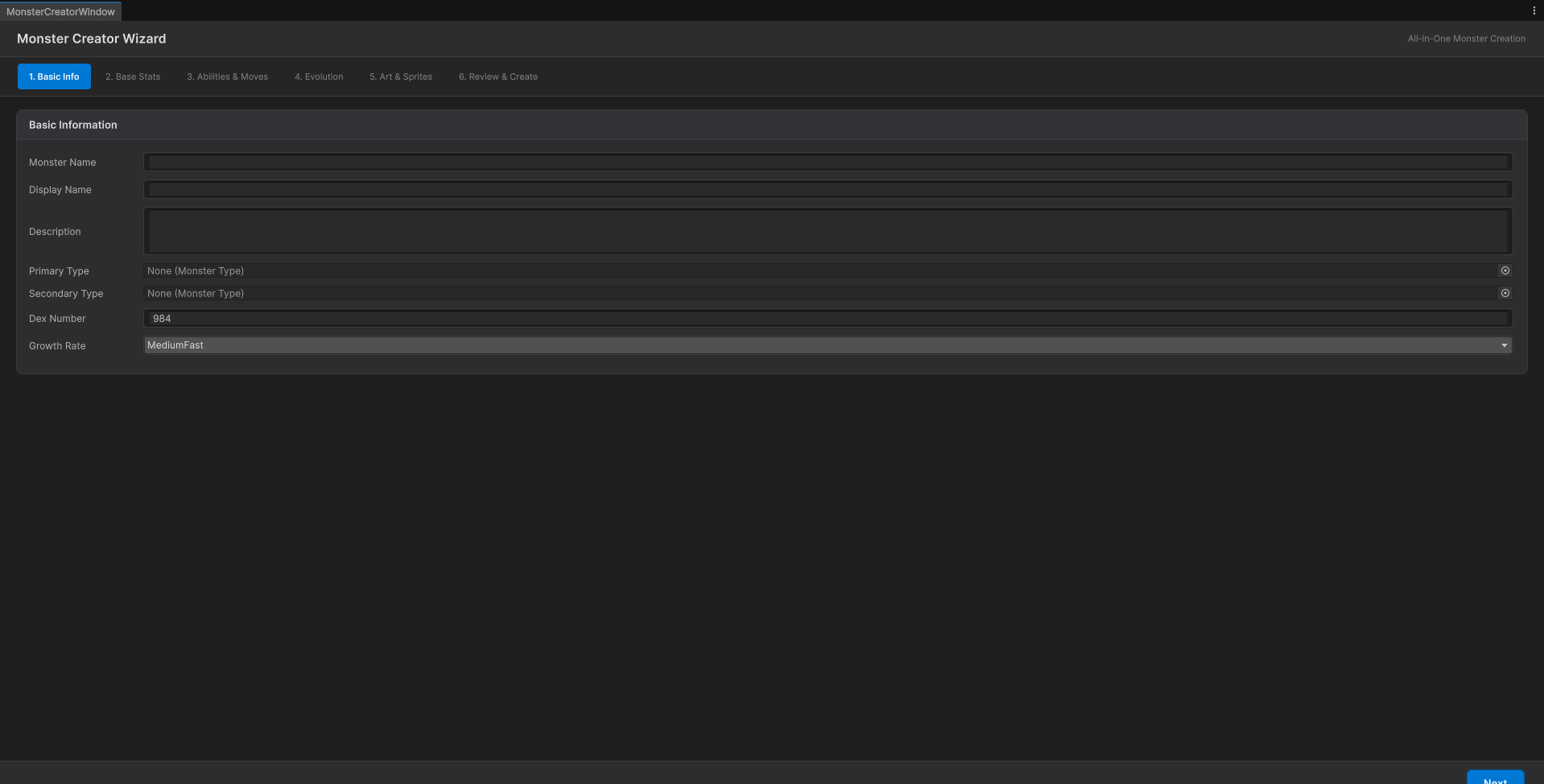
This window is the whole loop for an original creature: it defines what it IS — stats, types, abilities, evolution — and takes the sprites that draw it. It does not ask you to leave the editor.
OpenMon turns those designs into playable, shippable games. Design your monsters, build your world, and release commercially on every platform -- no IP conflicts, no legal concerns, no limitations.
What You Need (and What OpenMon Provides)
| You Provide | OpenMon Provides |
|---|---|
| Monster designs and art | Monster data system (species, stats, types, abilities, forms) |
| World design and maps | Grid-based overworld with encounters, NPCs, events |
| Story and dialog | CommandGraph visual scripting for events and cutscenes |
| Music and sound effects | Audio management with BGM, SFX, and crossfading |
| Game balance decisions | Battle system with configurable damage formulas |
| Marketing and launch | Cross-platform builds (PC, mobile, web) |
Step 1: Design Your Monsters
Before touching the engine, design your creature roster on paper (or digitally). Good Fakemon design starts with these decisions:
Type System
The MIT Licensed Demo (a separate download) comes with the standard 18-type chart. Types are plain assets, so you can customize the chart completely:
- Keep the standard 18 -- players already understand Fire/Water/Grass relationships
- Add new types -- Sound, Cosmic, Digital, Light/Dark split
- Reduce types -- some games use 8-12 types for simplicity
- Custom interactions -- change any cell of the effectiveness chart in the Type Chart Editor
Starter Trio
Your starters define your game's identity. Design three monsters that:
- Represent your type triangle (traditionally Fire/Water/Grass, but you can innovate)
- Have three-stage evolution lines
- Appeal to different player aesthetics
- Are balanced against each other
Regional Variety
Plan your roster around your game's regions and biomes:
| Biome | Example Types | Role |
|---|---|---|
| Starting town | Normal, Bug | Early encounters, learning battles |
| Forest | Grass, Bug, Flying | First type diversity |
| Caves | Rock, Ground, Dark | Physical attackers |
| Water routes | Water, Ice | Surfing encounters |
| Mountain | Fighting, Steel, Dragon | Late-game challenges |
| Endgame | Psychic, Ghost, Fairy | Rare and powerful |
A solid roster for a full game is 100-200 original monsters. For a smaller project or demo, 40-60 is workable.
Step 2: Create Monster Data in OpenMon
Each monster in OpenMon is a MonsterEntry ScriptableObject. Create one through the editor:
- Open the OpenMon Hub (
Tools > MCE > OpenMon Hub) → Art Studio tab → Monster Creator (the six-step wizard of Create Your First Monster), or the Species Creation Wizard in the Database tab - Fill in the species data. The fields are these (shown as a summary, the wizard presents them in steps):
Name: Flambit
DexNumber: 001
Types: [Fire]
BaseStats:
  HP: 45
  Attack: 60
  Defense: 40
  SpAttack: 70
  SpDefense: 50
  Speed: 65
GrowthRate: MediumSlow
CatchRate: 45
BaseExperience: 64
EggGroups: [Field, Monster]
EggCycles: 20
Abilities: [Blaze]
HiddenAbilities: [FlameBody]
HasBinaryGender: true
FemaleRatio: 0.125  # 12.5% female / 87.5% male
- Assign sprites (front, back, icon, shiny variants)
- Define the learn set (moves learned by level, TM and egg moves)
- Set up evolution chains
Importing Your Sprites
Once you have your art, import it in the Art & Sprites step of the Monster Creator:
- Open the OpenMon Hub (
Tools > MCE > OpenMon Hub) → Art Studio tab → Monster Creator, and go to step 5, Art & Sprites - Drop your textures into Front Sprite, Back Sprite and Icon Sprite (see Create Your First Monster); the overworld sprites go in the
MonsterEntryInspector, under World Sprites
Step 3: Build Your World
Map Creation
OpenMon uses Unity scenes with a GridController on the grid root for tile-based movement:
- Create a new Unity Scene with a Grid and a few Tilemaps (Ground, Above, Top)
- Add a
GridControllerto the Grid, and aSceneInfofor the map - Paint tiles with the Map Editor overlay that appears in the Scene View (see Map Editor)
- Register your tiles in
TileDatawith their movement type (what is walkable and what is not), paint encounter tiles where wild monsters live, and placeTriggerActors with aTeleportPlayernode for doors and warps
Encounter Tables
Configure which monsters appear where:
- Create a
WildEncountersSetasset (Hub → Database tab → New Wild Encounter Set) - Add the species to its Base Encounters with a level range and a weight:
| Monster | Weight | Levels |
|---|---|---|
| Flambit | 30 | 3-5 |
| Leafpup | 30 | 3-5 |
| Rocklet | 20 | 4-6 |
| Sparkit | 15 | 3-5 |
| Shimmer | 5 | 5-7 |
- Assign the set to the encounter type (Grass, Surfing, ...) in the map's
SceneInfoasset - Put time-of-day or weather variants in the same set (Encounters Per Moment / Per Weather)
See Wild Encounters for the details.
NPCs and Events
Use CommandGraph to create NPC behavior without code:
- Dialogs -- multi-line conversations with player choices (
ShowDialog,ShowChoiceDialog) - Variables, Badges and Items --
If...nodes that check badges, items, variables and roster state - Items, Monsters and Utils -- give items, heal the party, set variables, teleport the player
- Battles -- trigger trainer battles with configured teams (
SingleTrainerFight) - Quests -- start, progress, and complete quests
Step 4: Balance Your Game
Difficulty Curve
Plan your game's progression:
| Phase | Player Level | Wild Levels | Gym/Boss Level | New Mechanics |
|---|---|---|---|---|
| Early game | 1-15 | 2-12 | 14 | Basic battles, type matchups |
| Mid game | 15-35 | 12-30 | 32 | Status moves, abilities, items |
| Late game | 35-50 | 30-45 | 48 | Double battles, weather, terrain |
| Post-game | 50-100 | 50-80 | 70-100 | Competitive, breeding, shinies |
Battle Balance
OpenMon uses Gen V+ damage formulas by default, which are well-balanced. Key tuning points:
- Base stat totals -- starters typically total 525 at final evolution, legendaries 600-680
- Move power distribution -- early moves 40-60 power, late moves 80-120
- Type chart -- if you add custom types, test every interaction in the Type Chart Editor
Step 5: Polish and Ship
Localization
Going global? OpenMon's localization system supports runtime language switching:
- Keep your text in the Google Sheets the localization system reads (see Localization)
- Translate monster names, descriptions, dialog, and UI strings
- Players select their language in settings
Platform Builds
From one Unity project, build for:
- Steam (Windows, macOS, Linux)
- Mobile (iOS App Store, Google Play)
- Web (WebGL, playable in browser)
- Consoles (Switch, PS5, Xbox -- requires dev kits)
Monetization Options
Your game, your business model:
| Model | Implementation |
|---|---|
| Premium ($10-30) | Traditional one-time purchase on Steam/stores |
| Free-to-play | Cosmetic shop, battle passes (Pro, Source and Studio editions) |
| Early Access | Release on Steam EA, iterate with community feedback |
| Patreon/Kickstarter | Fund development with community support |
Legal Considerations
When creating a Fakemon game for commercial release:
- Original monster designs -- do not trace or closely copy existing Pokemon. Inspired by is fine; derivative of is not.
- Original names -- "Flambit" is fine; "Charizard" is not. Even move names that are too close to Pokemon-specific moves should be changed.
- Mechanics are not copyrightable -- turn-based battles, type effectiveness, and capture mechanics are game mechanics, not IP. You can use them freely.
- Your art, your copyright -- sprites and art you create (or commission) belong to you.
- Music licensing -- ensure you have rights to all audio in your game.
OpenMon's engine code is commercially licensed. Your game content built on top of it is entirely yours.
Inspiration from the Community
These independent games started as Fakemon projects and became commercial successes:
- Coromon -- retro pixel art, 120+ original creatures, multi-platform
- Nexomon -- mobile-first, humorous tone, 300+ monsters
- Cassette Beasts -- cassette tape theme with fusion mechanic
- Monster Crown -- crossbreeding system, dark tone, open world
- Disc Creatures -- Game Boy aesthetic, 200+ creatures
Your Fakemon game could be next. The genre is thriving and players are actively looking for new experiences beyond the mainline Pokemon games.