UI System Overview
OpenMon's UI layer lives under Assets/OpenMon/Core/Runtime/UI/ and is built entirely on Unity's UGUI (Canvas + RectTransform). Every screen, menu, and dialog shares two foundational building blocks: MenuSelector for navigable lists/grids and DialogManager for modal text boxes, choices, and complex popups.
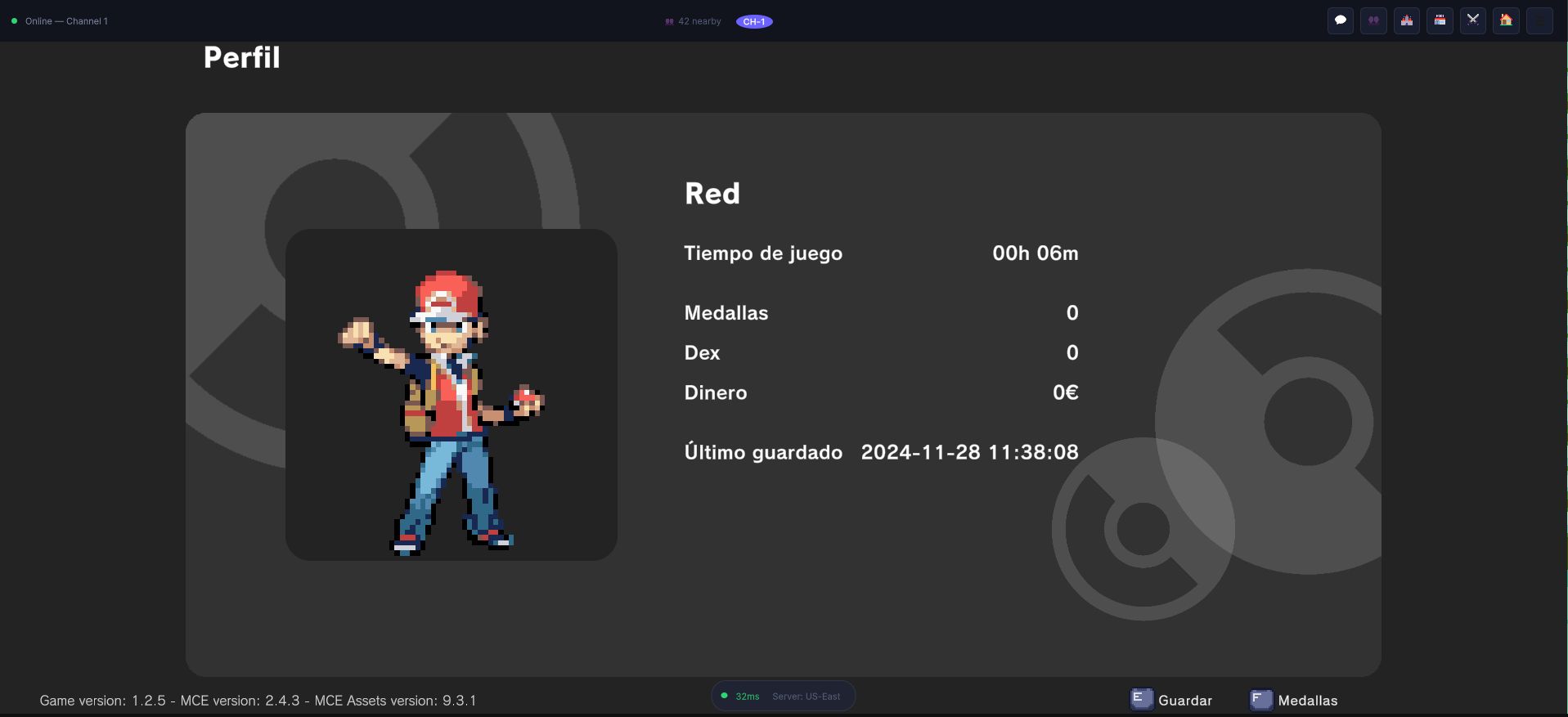
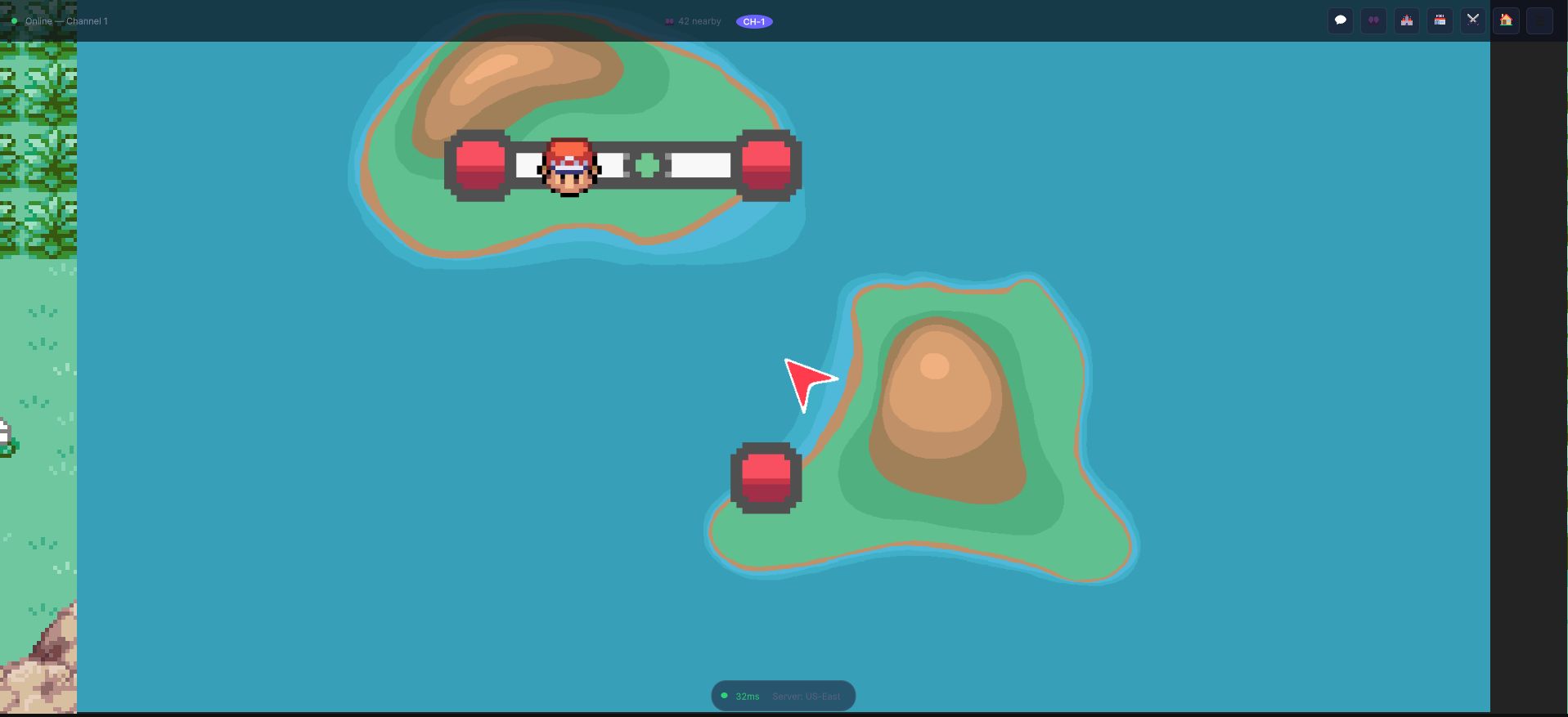
Two screens that look nothing alike and are built from the same two pieces. Neither one knows about input devices, audio, or cursor drawing -- that all lives in the shared components.
Architecture at a Glance
UI/
├── MenuSelector.cs              # Base class for ALL navigable menus
├── ScrollableMenuSelector.cs    # MenuSelector + ScrollRect support
├── VirtualizedMenuSelector.cs   # MenuSelector + recycled/pooled items
├── MenuItem.cs                  # Individual button inside a MenuSelector
├── VirtualizedMenuItem.cs       # MenuItem aware of its row in a pool
├── UIElementsInstaller.cs       # Zenject installer for UI factories
├── Battle/                      # Battle HUD: main menu, move menu, target selector
├── Bags/                        # Inventory / bag screen with pocket tabs
├── Dex/                         # Full Pokedex-style screen with tabs
├── Dialogs/                     # DialogManager + choice menu, text input, popups
├── GameMenu/                    # In-game pause menu (Dex, Mons, Bag, Map, etc.)
├── MainMenu/                    # Title screen: New Game, Continue, Credits
├── Monsters/                    # Monster roster menu, summary, storage
├── Options/                     # Settings screen (volume, resolution, language, etc.)
├── Shops/                       # Buy/sell shop interface
├── Quests/                      # Quest log screen
├── Profile/                     # Player profile / trainer card
├── Map/                         # World map overlay
└── ...
The Two Pillars
MenuSelector -- Generic Menu Navigation
MenuSelector is the base class nearly every interactive menu inherits from. It handles:
- Vertical or Horizontal navigation via the
Navigationenum. - Selector arrow that animates to the hovered item, via MCE's bundled tween API.
- Audio feedback on navigation and selection.
- Input integration through the
IInputReceiverinterface andIInputManager. - Wrap-around -- navigating past the last item wraps to the first and vice versa.
- Hold-to-scroll -- when
CanHoldToScrollFasteris enabled, holding the input repeats navigation at a configurable interval.
Two specialized variants exist:
| Class | Use Case |
|---|---|
ScrollableMenuSelector | Adds a ScrollRect that auto-scrolls to keep the selected item visible. |
VirtualizedMenuSelector<TData, TButton, TFactory> | Object-pooled list for large data sets (e.g. Dex, Storage). Recycles button instances as the player scrolls. |
See the Menus page for a deep dive into MenuSelector.
DialogManager -- Modal Dialogs and Complex Popups
DialogManager is a Singleton that owns every modal UI overlay in the game. It manages:
- Basic text dialogs with typewriter animation, speaker name panels, and localization.
- Choice menus (Yes/No, multiple options up to 11).
- Full-screen screens accessible via static methods: Dex, Bag, Roster, Shop, Options, Profile, Quests, Map.
- Specialized popups: XP gain panel, move replacement dialog, move tutor, new monster popup, text input dialog.
- Notifications through a child
NotificationManager.
The DialogManager is instantiated via Zenject's factory pattern:
// DialogManagerInstaller.cs
Container.BindFactory<DialogManager, DialogManager.Factory>()
         .FromComponentInNewPrefab(Prefab);
See the Dialogs page for the full API.
Dependency Injection
All UI factories are registered through two Zenject ScriptableObjectInstallers:
DialogManagerInstaller-- BindsDialogManager.Factoryfrom a prefab.UIElementsInstaller-- Binds factories for item buttons, monster buttons, dex buttons, move buttons, quest buttons, savegame buttons, and more. Each binding is scoped with.WhenInjectedInto<T>()so the correct prefab variant is used per screen.
// Example from UIElementsInstaller
Container.BindFactory<ItemButton, ItemButton.Factory>()
         .FromComponentInNewPrefab(BagItemButtonPrefab)
         .AsCached()
         .WhenInjectedInto<BagTab>()
         .Lazy();
Dedicated Screen Controllers
Each major screen either extends MenuSelector (for grid/list navigation), VirtualizedMenuSelector (for large pooled lists), or HidableUiElement (for custom layouts). All are launched through DialogManager:
| Screen | Controller | Base Class | Launched Via |
|---|---|---|---|
| Game Menu | GameMenuScreen | MenuSelector | DialogManager.ShowGameMenu(...) |
| Monster Roster | MonstersMenuScreen | HidableUiElement | DialogManager.ShowPlayerRosterMenu(...) |
| Bag / Inventory | BagScreen | HidableUiElement | DialogManager.ShowBag(...) |
| Dex | DexScreen | VirtualizedMenuSelector | DialogManager.ShowDexScreen(...) |
| Single Monster Dex | SingleMonsterDexScreen | HidableUiElement | DialogManager.ShowSingleMonsterDexScreen(...) |
| Shop | ShopDialog | HidableUiElement | DialogManager.ShowShop(...) |
| Options | OptionsScreen | MenuSelector | DialogManager.ShowOptionsMenu() |
| Profile | ProfileScreen | HidableUiElement | DialogManager.ShowProfileScreen(...) |
| Quests | QuestsScreen | VirtualizedMenuSelector | DialogManager.ShowQuestsScreen(...) |
| Text Input | TextInputDialog | HidableUiElement | DialogManager.RequestTextInput(...) |
| Move Tutor | MoveTutorDialog | HidableUiElement | DialogManager.ShowMoveTutorDialog(...) |
Battle UI
The battle HUD has its own set of MenuSelector subclasses that are NOT managed by DialogManager:
| Controller | Base Class | Purpose |
|---|---|---|
MainBattleMenu | MenuSelector | Fight / Bag / Monster / Run selection |
BattleMoveMenuSelector | MenuSelector | Move selection during battle |
TargetMonstersMenuSelector | MenuSelector | Target selection in multi-battles |
BattleMonstersMenu | HidableUiElement | Switch monster during battle |
BattleInfoPanel | HidableUiElement<MoveInfoPanel> | Detailed battle state overlay |
LastBallMenu | MenuSelector | Quick-throw last-used ball |
Input System Integration
All menus implement IInputReceiver, which extends Unity's New Input System action interfaces:
public interface IInputReceiver : MCEInputActions.IMainActions,
                                   MCEInputActions.IUIActions,
                                   MCEInputActions.ITextInputActions
{
    InputType GetInputType();
    void OnStateEnter();
    void OnStateExit();
    string GetDebugName();
}
The IInputManager maintains a stack of receivers. When a menu calls RequestInput(), it pushes itself onto the stack and becomes the active receiver. Calling ReleaseInput() pops it. This naturally handles nested menus -- opening the Bag from the Game Menu pushes the Bag's input receiver on top, and closing it restores input to the Game Menu.
Best Practices for Custom UI Screens
- Inherit from
MenuSelector(orScrollableMenuSelector/VirtualizedMenuSelectorfor large lists). - Add
MenuItemcomponents to each button in your menu. Set theArrowSelectorPositiontransform for the selector arrow. - Register factories in
UIElementsInstallerif your screen uses pooled/virtualized items. - Launch from
DialogManagerby adding a static method and serialized reference, following the existing pattern. - Use
[SerializeField] privatefor all inspector references -- never expose fields aspublicunless they are part of the API. - Use localization keys for all player-visible text. The
LocalizedTextMeshProandLocalizedTypeWriterTMPcomponents handle this automatically. - Prefer UI Toolkit for new editor tooling, but stick with UGUI for runtime game UI to maintain consistency with the existing system.