Wild Encounter System
The encounter system determines when and which wild monsters appear as the player explores the world. MCE supports multiple encounter types, weighted tables, level ranges, time-of-day and weather encounters, and repels.
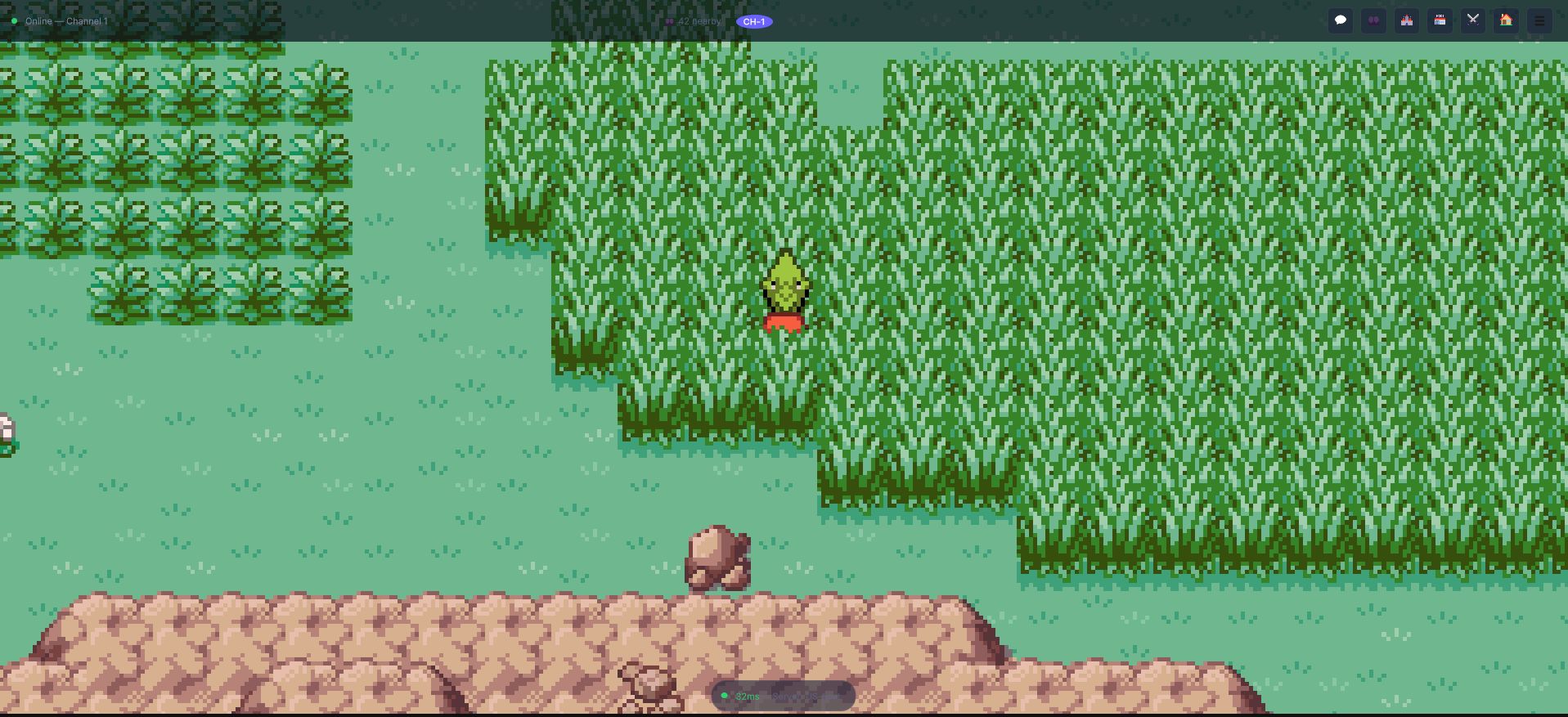
The tiles the player is standing in are the whole trigger. An EncounterTile marks the tile and its
type, a WildEncountersSet says what lives there and at what levels, the map's SceneInfo ties the
two together, and every step onto an encounter tile rolls against a chance.
How Encounters Work
- The player finishes a step onto a tile that carries an
EncounterTile(or, in a dungeon scene, onto any tile). - The step rolls against the encounter chance of that tile's
EncounterType. - If the roll succeeds, the map's
SceneInfosupplies theWildEncountersSetfor that type. Its list of possible encounters for the current moment of the day and weather is built, and one entry is picked by weight. - A level is drawn between the entry's
MinLevelandMaxLevel. - A repel or the party lead can still cancel the encounter (below).
- A
BattleParametersobject is created with the selected monster's species, level and form, and theBattleLaunchertransitions to the battle scene.
Encounter Types
The EncounterType enum names the kinds of encounter:
| Type | Typical use |
|---|---|
Grass | Tall grass |
Water, Surfing | Water tiles; surfing on them |
Cave | Cave floors. A scene marked as a dungeon (IsDungeon in its SceneInfo) uses Cave on every tile, with no painted tiles needed |
FishingOldRod, FishingGoodRod, FishingSuperRod | Fishing with each rod |
Diving | Underwater |
RockSmash, HeadButt | Smashing a rock; hitting a tree |
BugContest | The bug-catching contest |
Other | Anything your game defines |
Setting Up Encounter Zones
Step 1: Encounter Tiles
An encounter tile is a tile whose prefab has the EncounterTile component. The component has one setting, Encounter Type. Make your own by creating a prefab with the component, picking the type, and using the prefab as the GameObject of a tile asset; then paint that tile on the tilemap layer where the monsters should appear. The engine includes ready-made ones, such as Assets/OpenMon/Game/Prefabs/World/Water/Water/WaterEncounterTile.prefab.
Step 2: A WildEncountersSet
Create one at Assets > Create > MCE > Battle > Encounters > WildEncountersSet (or New Wild Encounter Set in the Hub's Database tab). A set has three lists:
| List | Meaning |
|---|---|
| Base Encounters | Monsters that always show up |
| Encounters Per Moment | Extra monsters for Night, Dawn, Day or Dusk |
| Encounters Per Weather | Extra monsters under a given out-of-battle weather (Sunny, Rain, Fog, Sandstorm, Snowstorm) |
The possible encounters at a given moment are the base list plus the entries of the current moment plus the entries of the current weather.
Each entry is a WildEncounter:
| Field | Description |
|---|---|
| Monster | Reference to the MonsterEntry |
| Form Calculator | Asset that decides which form appears (see below) |
| Min Level / Max Level | Level range, 1 to 100 (the max never goes below the min) |
| Weight | Relative weight of this entry (higher = more common) |
Step 3: The Map's SceneInfo
The SceneInfo asset of the map links encounter types to sets. In its Encounters group, add one entry per type: Grass → your grass set, Surfing → your water set, and so on. A type with no entry has no wild monsters. The same asset can hold, per type:
- a battle scenario (the battle background/terrain for that kind of encounter; if unset the tile's own data is used),
- the map's own encounter chance (below),
- whether you can fish here and whether the scene is a dungeon.
Probability Calculation
Weights are relative, not percentages. The system sums all weights and each entry's chance is its weight over the total:
Chance = Entry Weight / Sum of All Weights
| Monster | Weight | Actual Chance |
|---|---|---|
| Leafpup | 40 | 40/100 = 40% |
| Windling | 30 | 30/100 = 30% |
| Silkworm | 20 | 20/100 = 20% |
| Sparkbit | 10 | 10/100 = 10% |
Encounter Chance per Step
Whether a step triggers an encounter at all is a second, separate roll:
- The global chance is the
TileEncounterChancetable of theMCESettingsasset: one value (0 to 1) for each encounter type. A type missing from the table counts as 0 and logs a warning once. - A map can override it for a type with its own chance in its
SceneInfo(OwnEncounterChances). Such a type also uses the map's multipliers for running (default 1) and for biking (default 0.8). Without an own chance, the global rule lowers the roll on a bike by the same 0.8. - For the types listed in
EncountersWithModifiableChances(MCESettings), the party lead's ability and held item multiply the chance (for instance an item that reduces wild encounters). - An encounter flute item changes the chance until the next map change.
- Fishing uses the map's own chance for the rod used; without one, a fish always bites.
The wild shiny chance is WildShinyChance in MCESettings (1/512 by default).
Time-of-Day and Weather Encounters
The moment of the day follows TimeManager.DayProgress (0 to 1 over a game day, whose length is DayLengthInSeconds in MCESettings):
| Moment | Hours |
|---|---|
Dawn | 05:00 - 06:59 |
Day | 07:00 - 16:59 |
Dusk | 17:00 - 18:59 |
Night | 19:00 - 04:59 |
Put the monsters that only appear at a given moment (or weather) in the Encounters Per Moment (or Per Weather) list of the same set; there is no need for separate assets.
Form Encounters
A WildEncounter picks its form through its Form Calculator, an EncounterFormCalculator asset with two methods: GetEncounterForm(sceneInfo, encounterType) returns the form to spawn, and GetAllPossibleForms() lists every form it can produce (the dex uses this).
MCE ships SingleFormEncounter (Create > MCE > Battle > Encounters > Calculators > SingleFormEncounter), which always returns one fixed form. For region- or calendar-dependent forms, subclass EncounterFormCalculator:
[CreateAssetMenu(menuName = "MyGame/Encounters/Form By Region")]
public class FormByRegion : EncounterFormCalculator
{
    [SerializeField] private Region NorthRegion;
    [SerializeField] private Form NorthForm;
    [SerializeField] private Form SouthForm;

    public override Form GetEncounterForm(SceneInfo sceneInfo, EncounterType encounterType) =>
        sceneInfo.Asset.Region == NorthRegion ? NorthForm : SouthForm;

    public override List<Form> GetAllPossibleForms() => new() { NorthForm, SouthForm };
}
Special Encounter Patterns
Fishing
Fishing encounters need CanFishHere on the map's SceneInfo and a WildEncountersSet for each rod type (FishingOldRod, FishingGoodRod, FishingSuperRod) in its Encounters group. Which rod the player uses decides which set answers.
Legendary / One-Time Encounters
For special encounters that should only happen once:
- Use a CommandGraph event with a SingleWildFight node instead of random encounters.
- Guard it with an IfBool node on a game variable (for example
LegendaryDefeated). - After the battle, set the variable with SetBoolVariable to prevent re-encounters.
- This approach gives you full control over the encounter context (cutscenes, dialogue, terrain).
Double Wild Battles
The DoubleWildFight node starts a double battle against two wild monsters from a CommandGraph.
Repels and Encounter Prevention
Players can use items to prevent encounters. A repel is a Repel item with a RepelAmount of steps, used through the UseRepel effect:
| Item | Effect |
|---|---|
Repel (any Repel item) | For RepelAmount steps, cancels encounters whose level is below the party lead's level |
Repels are implemented as a step counter on the player (repelCounter, ticked every step). The check happens after the encounter is chosen and its level rolled: with the counter above zero and a level lower than the lead's, the encounter is cancelled. The party lead's ability can cancel an encounter too (ShouldPreventEncounter). You decide the amount of steps of each repel item in its asset.
Online Play
In the MMORPG layer the encounter is decided by the server: the client asks (StartWildEncounter) with the scene name and encounter type, and the server answers with the species and level. If the server refuses, the encounter is cancelled; it is never resolved locally. See Battle Authority.
Best Practices
- Balance encounter chances. Too high (>25%) feels annoying. Too low (<5%) makes the world feel empty. 8-15% is typical.
- Scale levels with progression. Route 1 should have level 2-5 monsters, not level 50.
- Vary encounter tables between maps. Each route should feel distinct.
- Include rare encounters. One low-weight entry per table gives players something to hunt for.
- Test time-of-day encounters. Players should not feel punished for playing at a specific time.
- Place Repels early. Players appreciate having encounter control before mid-game.