Frequently Asked Questions
General
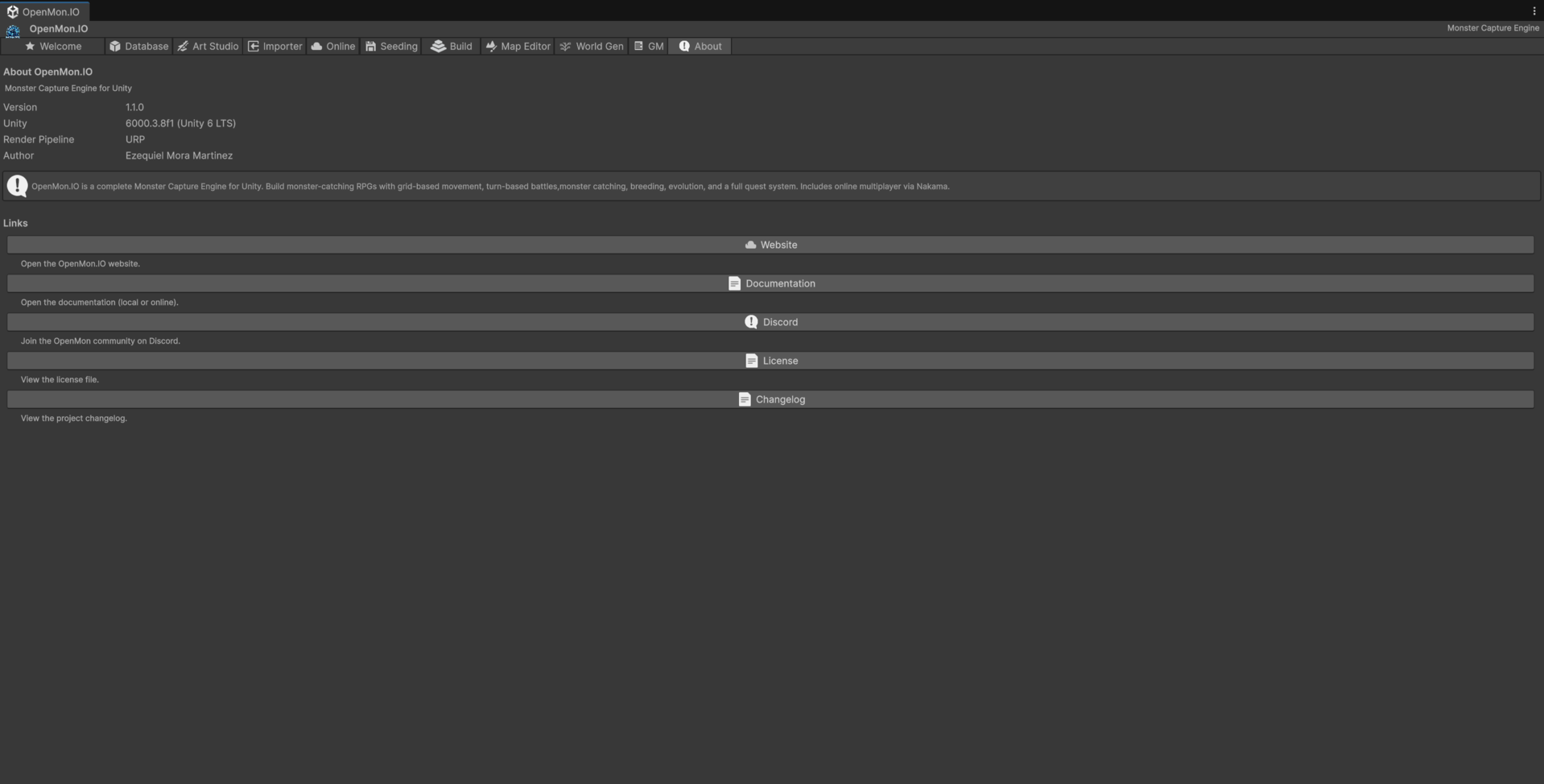
Version, edition and licence all live in the Hub's About tab — the fastest answer to "which build am I actually running".
What is Monster Capture Engine?
Monster Capture Engine (MCE) is a Unity engine for building monster-taming RPGs — games like Temtem, Coromon, or Cassette Beasts. It provides the full foundation: turn-based battle system, monster database, grid-based overworld, encounters, evolution, breeding, quests, save system, and more.
Do I need to know how to code?
Not necessarily. Every edition lets you configure the engine through the Inspector and visual scripting; Indie and above also expose a readable public SDK API (the Starter keeps the API closed). For deeper customization, the Source and Studio editions include the complete C# source code.
What Unity version do I need?
Unity 6 LTS (6000.3.x or later) with the Universal Render Pipeline (URP).
What platforms can I build for?
Windows, macOS, Linux, Android, iOS, and WebGL.
Can I use MCE with the High Definition Render Pipeline (HDRP)?
No. MCE targets URP only. The shaders, lighting, and post-processing are built specifically for the Universal Render Pipeline.
Editions and Licensing
Which edition should I choose?
- Starter — Trying the engine or building a small prototype. Free, with the API closed, a limit of 77 monsters, 301 moves and 74 abilities (followers share the 77 species), a fixed-length splash and a permanent watermark.
- Indie — Building a commercial single-player game or importing a Pokemon Essentials project. Compiled DLLs with a readable public API and XML documentation, unlimited species, no watermark, optional splash, and the compiled Essentials Importer.
- Pro — Building an online multiplayer game. Indie plus the complete Nakama MMORPG layer (PvP, trading, guilds, secret bases, player gyms) as a compiled client, and the server.
- Source — Deep customization. Pro with the full C# source and the right to customize it.
- Studio — Source plus a private repository with a continuously updated
main, experimental features, priority support and the cartridge importers (HGSS, FireRed, Black/White) as scripts.
Can I upgrade editions later?
Yes. You can upgrade from any edition to a higher one at any time by paying the difference.
Can I use assets from a lower edition if I upgrade?
Yes. When you upgrade, you keep everything from your previous edition plus the new content.
Is there a free trial or demo?
Yes: the Starter edition is free and comes with its own demo of 77 species (separate download). The full MIT Licensed Demo is a separate download for Indie and every edition above it; the Starter turns it down because it holds more than its limit of 77 monsters, 301 moves or 74 abilities. Check the openmon.io website for the current options.
What is the license for each edition?
- Starter: Free, non-commercial license: you may publish a game made with it free of charge, with the mandatory OpenMon splash screen and the permanent watermark; selling or monetizing it requires Indie or above.
- Indie: Commercial license. Splash screen optional.
- Pro: Commercial license including the Nakama multiplayer layer.
- Source: Full source-level customization rights.
- Studio: Source license plus the private repository, experimental features, priority support and the cartridge importers.
Can I see the source code before purchasing?
The C# source ships only with the Source and Studio editions. The other editions ship compiled DLLs: the Starter is free, so you can try the engine first, and Indie and above include a readable public API with XML documentation.
Pokemon Essentials Import
Can I import my existing Essentials project?
Yes, with the Indie edition or above (Indie and Pro ship the importer compiled, Source and Studio ship it as source; the Starter has no importer). MCE includes an Essentials Importer that converts Pokemon Essentials projects (v20, v21, v21.1) into native Unity assets: maps, monsters, moves, items, encounters, audio, and sprites.
What Essentials versions are supported?
v20, v21, and v21.1 are the supported targets. The importer is designed to be updated as new Essentials versions are released.
Will my existing save files work in MCE?
No. MCE uses its own save system (JSON-based). Save files from RPG Maker XP / Essentials are not compatible.
Can I import specific parts of my project, or is it all-or-nothing?
You can choose exactly what to import. The wizard has a toggle for each category (species, moves, items, abilities, types, trainers, encounters, maps, sprites, follower sprites, audio, connections) and separate PARSE DATA, CONVERT TO MCE and INTEGRATE SCENES buttons, so you can bring the project in stage by stage.
How well does the importer scale?
It has been proven against a complete Essentials v21.1 project: a full headless run converted 898 of 898 species with zero errors (335 form overrides and 422 evolutions linked), created 150 new moves while reusing 590 existing ones, plus abilities, items, and trainers with populated rosters. Imported monsters get generated battle Materials so they render in battle, items become concrete ScriptableObjects, and any move effect the importer can't map degrades to a visible warning rather than failing silently.
Can I run the importer from the command line?
Yes. EssentialsImporterWizard.ImportarCompletoDesdeCli runs the whole wizard pipeline (data, maps, encounters, audio, sprites, warps, events and scene integration) in Unity batchmode: -executeMethod OpenMon.MCE.EssentialsImporter.Editor.EssentialsImporterWizard.ImportarCompletoDesdeCli -essentialsProyecto <folder> -essentialsNombre <name> [-essentialsModo 2D|2.5D]. It refuses to write over an existing output folder. For a data-only import (no maps) there is EssentialsHeadlessImport.RunCli, configured with environment variables. Both are described in the import guide.
Multiplayer
Does MCE include multiplayer?
Yes, the Pro, Source and Studio editions include a complete Nakama-based MMORPG layer with PvP, trading, guilds, secret bases, player-owned gyms, and real-time world synchronization. Secret bases persist server-side with fail-closed validation, and visitors get live co-presence — positions and decoration changes sync in real time while you share the space.
Can I run my own game server?
Yes. The Pro, Source and Studio editions include the server so you can deploy and manage your own Nakama server.
What is Nakama?
Nakama is an open-source game server by Heroic Labs. MCE bundles a pre-integrated Nakama client and server module, so you get matchmaking, real-time multiplayer, leaderboards, and chat without building the backend yourself.
Customization
Can I add my own monster species?
Absolutely. You can create custom monsters through the Monster Creator Wizard or by creating ScriptableObjects directly. Custom species work alongside the 667 monster entries that ship with the MIT Licensed Demo (separate download).
Can I use my own art and assets?
Yes. MCE uses standard Unity assets (sprites, audio clips, prefabs). Drop in your own art and assign it to the relevant fields.
Can I modify the battle system?
Without source code, you can configure battle parameters (speed, XP multipliers, capture rates) through ScriptableObjects and, from the Indie edition up, react to battle events via the SDK API. With the Source or Studio edition, you can modify or replace any battle module.
Can I add new evolution types?
Yes. MCE supports 37 evolution types out of the box, all configurable per species in the Inspector. Implementing an entirely new evolution type means subclassing EvolutionData in code, which the Source and Studio editions are designed for.
Support
Where can I get help?
- Documentation: Check the guides and API references on this site.
- Discord: Join the OpenMon community for peer support.
- Issue tracker: Report bugs and request features on the official repository.
Are updates included?
Updates within the same major version are included with your edition purchase.
Do I need to pay for updates?
That depends on the versioning policy. Minor and patch updates are included within your edition. Major version upgrades may require a separate purchase.
Can I get a refund?
Refunds are available only if the purchased file/package has never been downloaded or accessed. After the asset archive, package, source bundle, server bundle, or any licensed file is downloaded, imported, cloned, or otherwise accessed, the sale is final, except where mandatory law or storefront rules require otherwise.
Technical
What is the SDK API?
The SDK is a set of public C# interfaces (IMonsterCaptureEngine, IPlayerData, IBattleSystem, ISaveSystem, IMonsterDatabase) that let you read MCE's data from your own scripts without coupling to internal implementations. (The battle and save interfaces depend on engine hooks that are not connected yet; see Public API.) The public SDK API ships with the Indie edition and above; the Starter keeps the API closed.
Does MCE use dependency injection?
Yes. MCE uses Zenject (Extenject) for DI. SDK interfaces are injected automatically into your MonoBehaviours using the [Inject] attribute.
Can I use MCE without Zenject?
You can resolve interfaces manually through ProjectContext.Instance.Container, but the recommended approach is Zenject injection.
Does MCE support modding?
The Source and Studio editions provide the foundation for modding support since you have full access to the engine code. The SDK API (Indie and above) also allows limited extension without source access through event listeners and Inspector configuration.
What save system does MCE use?
JSON serialization into named save folders (one file per saved object), with atomic writes, versioning with migrations, and autosave. To persist your own flags and counters with the player's save, store them as game variables; Source and Studio users can add their own SavableObject. See the Save System guide.