Social Features
The social system provides real-time chat, guilds, friends with presence tracking, and peer-to-peer monster/item trading. All services use Nakama's built-in social APIs (Groups, Friends, Chat channels) and realtime matches (for trading).
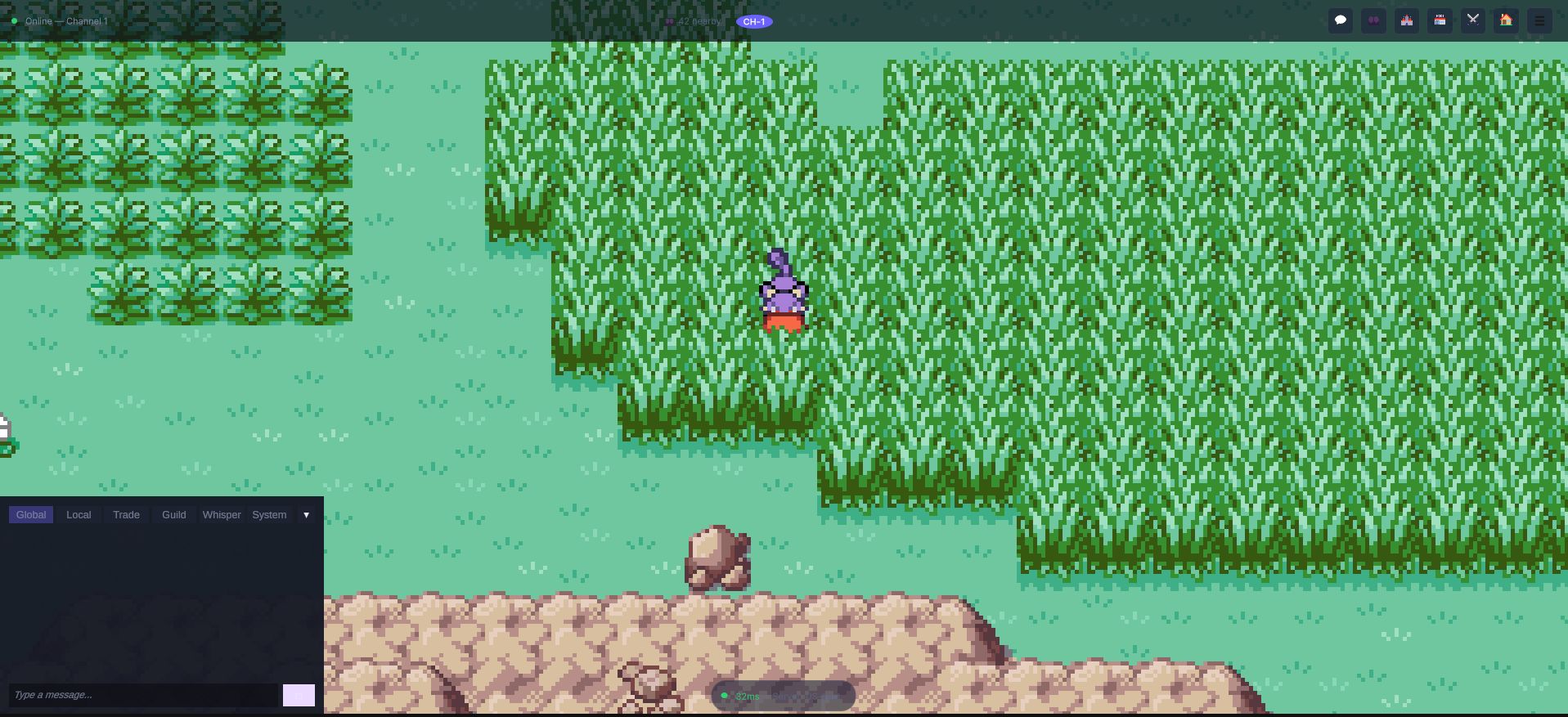
The tabs across the top of that panel are the channel types in the table below — the
player picks a scope, not a server. Local and Global are different channels of the
same connection, so switching between them costs nothing and loses nothing.
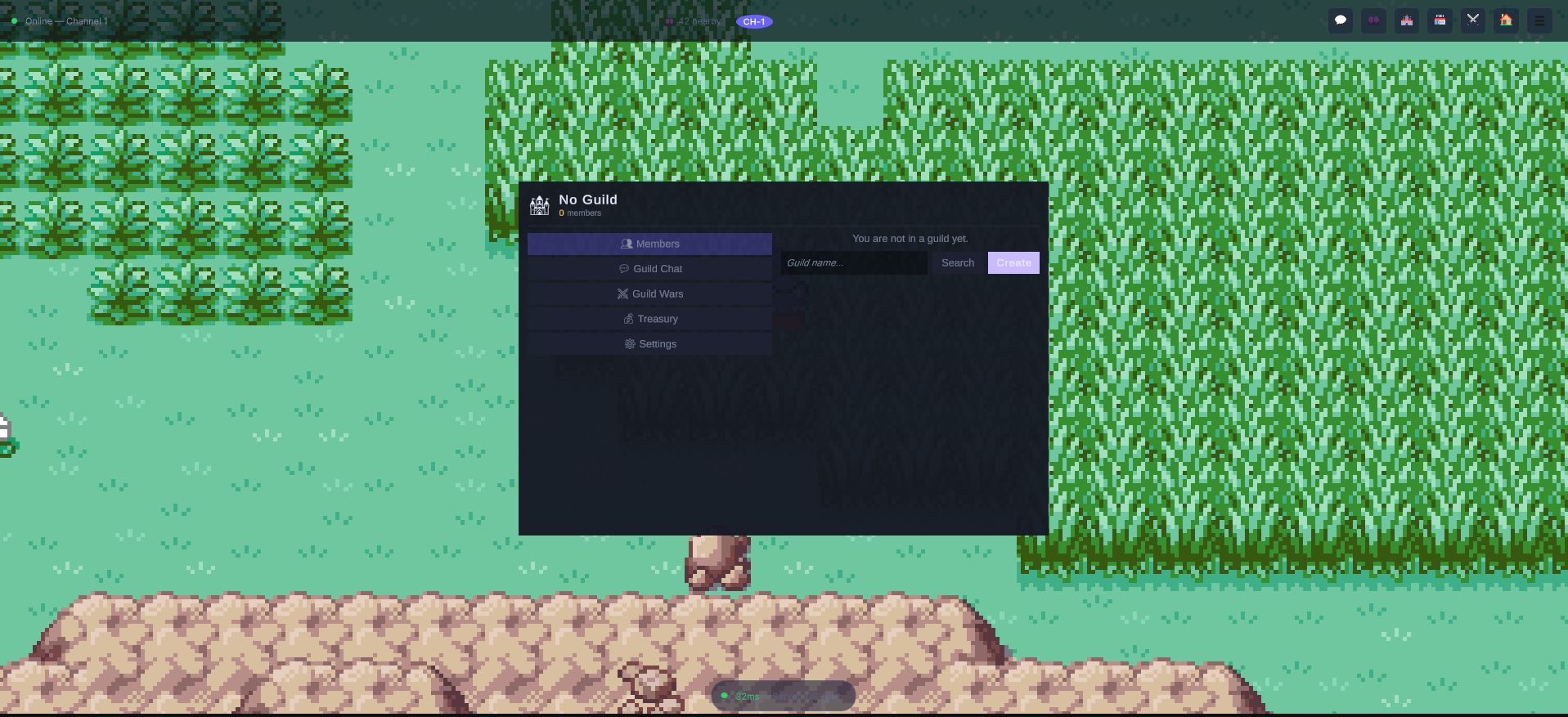
The guild panel is worth showing in its empty state, because that is the state every new account starts in: the sections exist (members, guild chat, guild wars, treasury, settings) and the panel says plainly that you are not in a guild yet, with the two ways out of it right there. Nothing is hidden until you qualify for it.
Architecture Overview
| Class | File | Responsibility |
|---|---|---|
ChatService | Social/SocialServices.cs | Real-time chat with 7 channel types |
GuildService | Social/SocialServices.cs | Guild CRUD, roles, member management via Nakama Groups |
FriendService | Social/SocialServices.cs | Friends list, presence tracking, blocking |
TradeService | Social/SocialServices.cs | P2P trading with server-validated state machine |
Access via NakamaManager.Instance:
var chat = NakamaManager.Instance.Chat;
var guilds = NakamaManager.Instance.Guilds;
var friends = NakamaManager.Instance.Friends;
var trade = NakamaManager.Instance.Trade;
Chat System
ChatService implements a multi-channel real-time chat system using Nakama's channel messaging.
Channel Types
The ChatChannel enum defines 7 channel types:
| Channel | Description |
|---|---|
Global | Server-wide public chat |
Local | Visible to nearby players (same map/area) |
Trade | Economy and trading discussions |
Guild | Guild-only messages |
Whisper | Private 1-on-1 direct messages |
System | Server announcements and notifications |
Battle | Battle-related communication |
Joining Channels
The global channel is joined automatically during connection via JoinGlobalChannelAsync(). It uses Nakama's Room-type channel with persistence enabled:
// Automatic on connect -- but can be called manually
await chat.JoinGlobalChannelAsync();
Sending Messages
// Send to a public channel
await chat.SendMessageAsync(ChatChannel.Global, "Hello everyone!");
await chat.SendMessageAsync(ChatChannel.Trade, "WTB: Rare Candy x10");

// Whisper (direct message)
await chat.SendMessageAsync(ChatChannel.Whisper, "Hey!", targetId: recipientUserId);
Whispers use Nakama's DirectMessage channel type. The service automatically joins a DM channel with the target user before sending.
Receiving Messages
chat.OnMessageReceived += (ChatMessage msg) =>
{
    // msg.SenderId, msg.SenderName, msg.Content
    // msg.Channel (ChatChannel enum), msg.Timestamp
};

// Access message history (capped at ChatHistoryCount)
IReadOnlyList<ChatMessage> history = chat.History;
Message history is capped at OnlineConfig.ChatHistoryCount (default: 50). Oldest messages are removed when the cap is exceeded.
Channel Events
chat.OnChannelJoined += (ChatChannel channel) =>
{
    Debug.Log($"Joined {channel} channel");
};
Cleanup
All channels are left during disconnect:
await chat.LeaveAllChannelsAsync();
Guild System
GuildService manages guilds (teams/clubs) using Nakama's Groups API.
Creating a Guild
GuildInfo guild = await guilds.CreateGuildAsync(
    name: "Team Rocket",
    tag: "TR",
    description: "Prepare for trouble!");

// guild.Id, guild.Name, guild.Tag, guild.MemberCount, guild.MaxMembers
Maximum members per guild: OnlineConfig.MaxGuildMembers (default: 50).
Joining and Leaving
bool joined = await guilds.JoinGuildAsync(guildId);
bool left = await guilds.LeaveGuildAsync();
Guild Roles
The GuildRole enum defines a permission hierarchy:
| Role | Value | Permissions |
|---|---|---|
Leader | 0 | Full control (kick, promote, disband) |
Officer | 1 | Kick members, manage settings |
Member | 2 | Standard participation |
Recruit | 3 | Limited access (probation) |
Member Management
// Promote a member
await guilds.PromoteMemberAsync(memberId, GuildRole.Officer);

// Kick a member
await guilds.KickMemberAsync(memberId);
Searching Guilds
List<GuildInfo> results = await guilds.SearchGuildsAsync("Rocket");

foreach (var g in results)
{
    // g.Id, g.Name, g.Description
    // g.MemberCount, g.MaxMembers
}
Guild State
bool isInGuild = guilds.IsInGuild;
GuildInfo current = guilds.CurrentGuild;

guilds.OnGuildUpdated += (GuildInfo info) => { };
guilds.OnMemberJoined += (string userId) => { };
guilds.OnMemberLeft += (string userId) => { };
Friends System
FriendService uses Nakama's Friends API with real-time presence tracking via status events.
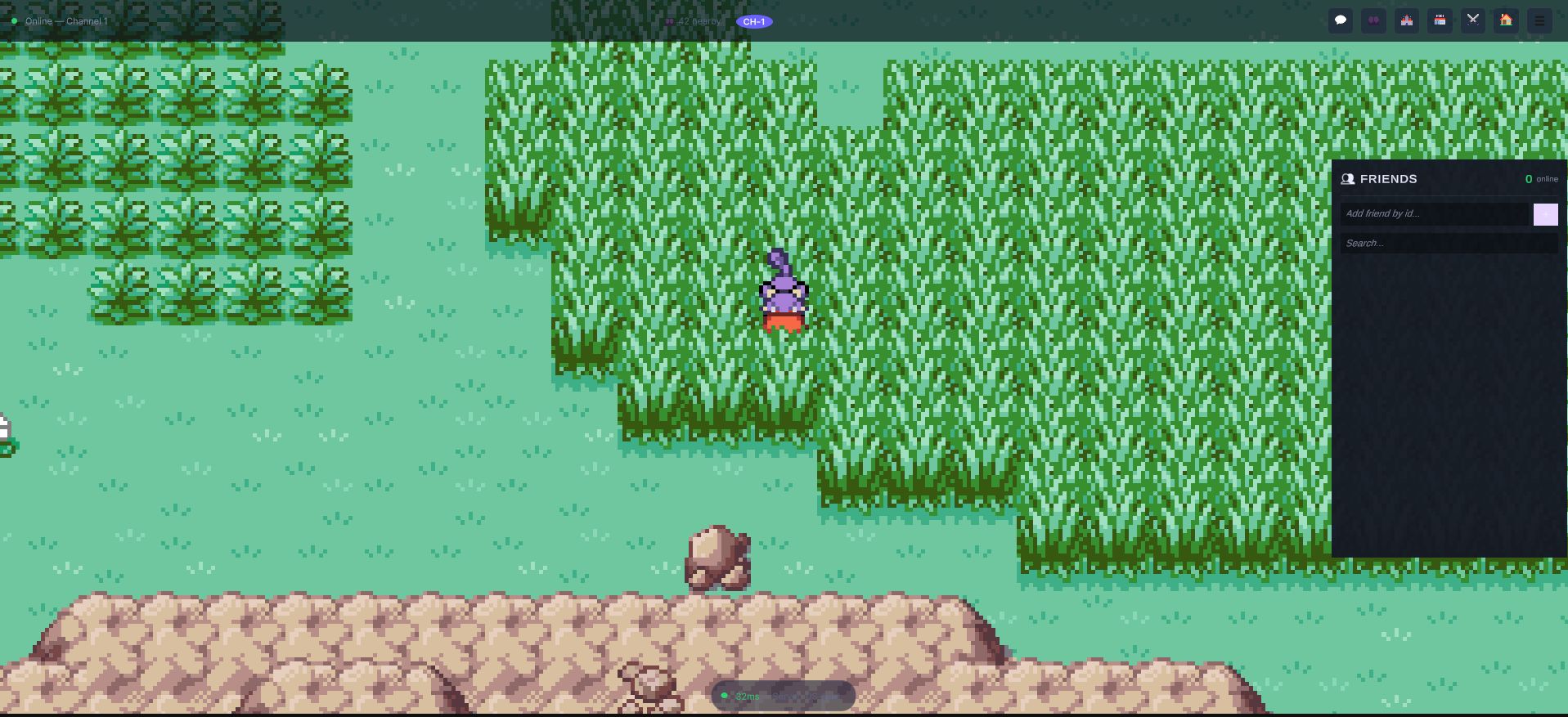
The 0 online counter is presence, not a roster size — it updates from status events as
people connect and disconnect, without the panel asking again.
Loading Friends
Friends are loaded automatically during connection:
await friends.RefreshFriendsListAsync(userId);
This calls Client.ListFriendsAsync (limited to OnlineConfig.MaxFriends, default: 100) and then follows all friends' statuses via Socket.FollowUsersAsync() for real-time presence updates.
Friend Requests
// Send a friend request
bool sent = await friends.SendFriendRequestAsync(targetUserId);

// Accept a friend request
bool accepted = await friends.AcceptFriendRequestAsync(fromUserId);

// Remove a friend
bool removed = await friends.RemoveFriendAsync(friendId);
Presence Tracking
Real-time presence updates arrive via ReceivedStatusPresence on the socket:
friends.OnFriendOnline += (FriendInfo info) =>
{
    Debug.Log($"{info.DisplayName} is online!");
};

friends.OnFriendOffline += (string userId) =>
{
    Debug.Log($"Friend {userId} went offline");
};

friends.OnFriendRequestReceived += (FriendInfo info) =>
{
    // Show friend request notification
};
Friends Data
IReadOnlyList<FriendInfo> list = friends.FriendsList;

foreach (var f in list)
{
    // f.UserId, f.DisplayName, f.IsOnline
    // f.CurrentMap, f.Level
}
Blocking
bool blocked = await friends.BlockUserAsync(userId);
Uses Nakama's BlockFriendsAsync which prevents all interaction.
Player-to-Player Trading
TradeService implements a complete P2P trading system using Nakama realtime matches with a state machine protocol.
Trade Protocol OpCodes
| OpCode | Constant | Meaning |
|---|---|---|
100 | OP_TRADE_REQUEST | Initial trade request |
101 | OP_TRADE_OFFER | Player offers a monster or item |
102 | OP_TRADE_CONFIRM | Player confirms the trade |
103 | OP_TRADE_CANCEL | Player cancels the trade |
104 | OP_TRADE_COMPLETE | Server confirms trade completed |
Trade States
The TradeState enum tracks the trade lifecycle:
Pending -> Offering -> Confirming -> Completed (or Cancelled at any point)
Initiating a Trade
string tradeId = await trade.RequestTradeAsync(targetUserId);
This creates a Nakama match for the trade session and notifies the target via the trade_request RPC.
Offering Items
// Offer a monster
await trade.OfferMonsterAsync(tradeId, monsterId);

// Offer an item
await trade.OfferItemAsync(tradeId, itemId: "rare_candy", quantity: 5);
Offers are sent as match state messages with OP_TRADE_OFFER.
Confirming and Completing
// Both players must confirm
await trade.ConfirmTradeAsync(tradeId);
When both players confirm, the server executes the trade atomically and sends OP_TRADE_COMPLETE.
Cancelling
await trade.CancelTradeAsync(tradeId);
Sends OP_TRADE_CANCEL, leaves the match, and clears the active trade.
Trade Events
trade.OnTradeRequestReceived += (string fromUserId, string fromName) => { };
trade.OnTradeStateChanged += (TradeState state) => { };
trade.OnTradeCompleted += (bool success) =>
{
    if (success) Debug.Log("Trade completed!");
    else Debug.Log("Trade was cancelled.");
};
Trade State Properties
bool isTrading = trade.IsTrading;
string activeTradeId = trade.ActiveTradeId;
string activeMatchId = trade.ActiveMatchId;
Trade match state is also routed through NakamaManager's ReceivedMatchState handler, which forwards to Trade.HandleMatchState().
Social Notifications
NakamaManager surfaces all Nakama notifications through a unified event:
NakamaManager.Instance.OnNotification += (string subject, string content) =>
{
    Debug.Log($"Notification: {subject} - {content}");
};
Additionally, dedicated events exist for common social actions:
NakamaManager.Instance.OnBattleInvite += (string fromUserId) => { };
NakamaManager.Instance.OnTradeRequest += (string fromUserId) => { };
NakamaManager.Instance.OnFriendRequest += (string fromUserId) => { };
Configuration Reference
| Config Field | Default | Description |
|---|---|---|
MaxFriends | 100 | Maximum friends per player |
MaxGuildMembers | 50 | Maximum guild members |
ChatHistoryCount | 50 | Chat messages to retain in memory |